
Minecraft Fabric Shaders: Install Iris, Add Sildur, and Fix Missing Packs
Fabric is the mod-loading layer, not the shader menu. For a reliable Minecraft Java setup, install a matching Iris build, add Sodium only when it fits your profile, and keep the Sildur ZIP in the active instance's shaderpacks folder.
The phrase Minecraft Fabric shaders describes a setup rather than a single download. Fabric loads mods, Iris adds the shader pipeline, and a Sildur ZIP supplies the visual effects. Sodium can improve rendering performance, but it is not required to make the shader menu appear and it should not be mixed into a profile without checking compatibility.
This guide keeps the order practical: identify the active Java profile, install Fabric and Iris, decide whether Sodium belongs in the same instance, place the compressed ZIP in the correct folder, and test one light preset. The goal is to separate a missing-file problem from a version mismatch, a renderer conflict, or a preset that is simply too heavy for the hardware.
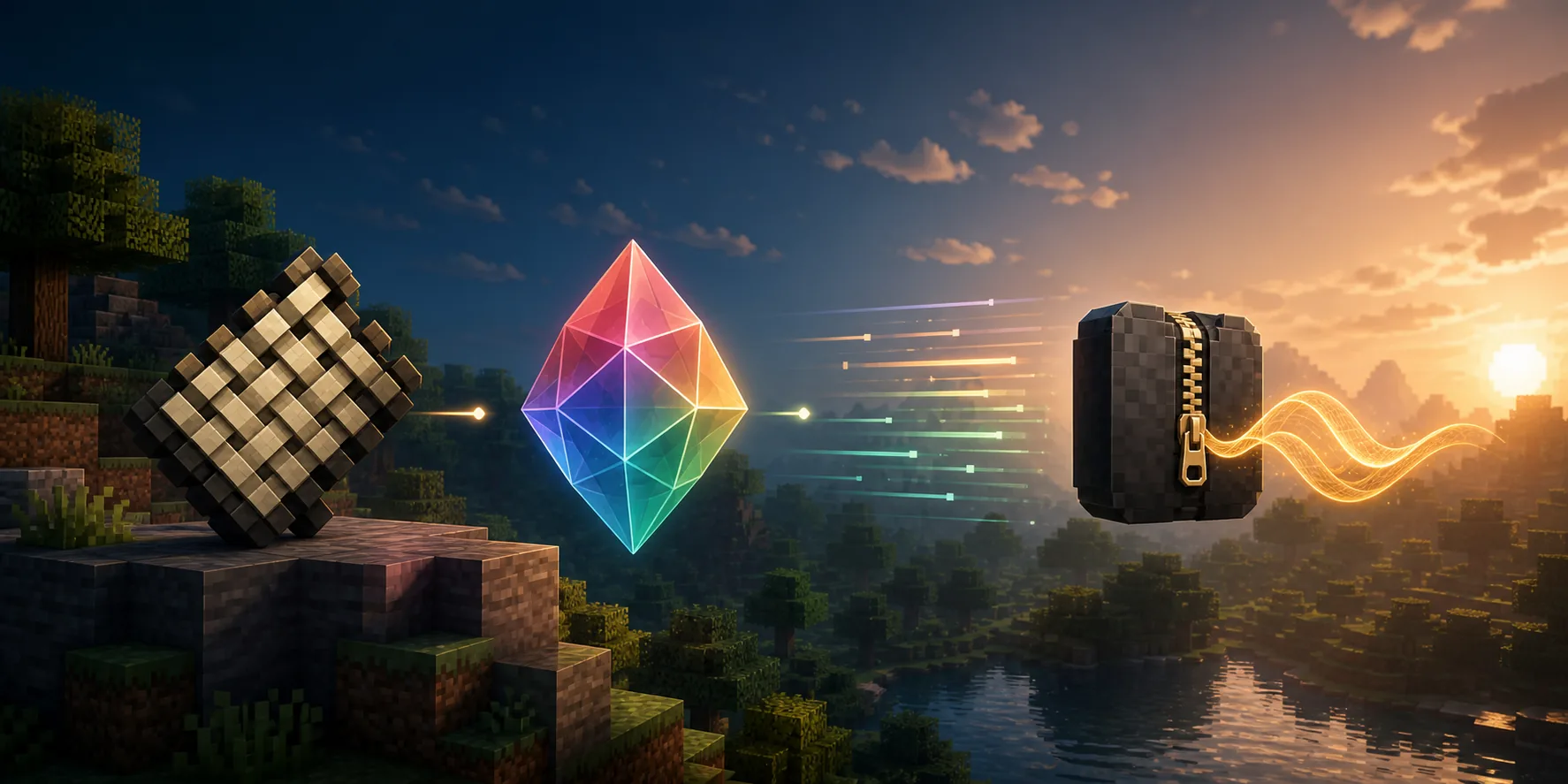
What a Fabric shader setup actually contains
Each layer has a different job. A correct version number on one component cannot repair an incompatible combination.
| Component | Job | What to check |
|---|---|---|
| Minecraft Java | Runs the world and version profile | Use the exact profile you launch |
| Fabric Loader | Loads the mod set | Match the Minecraft branch and instance |
| Iris | Loads and compiles shader packs | Choose an Iris build for that profile |
| Sodium | Optional rendering optimization | Add only a compatible build |
| Sildur ZIP | Adds the visual shader effects | Keep it compressed in shaderpacks |
Fabric by itself does not make a Shader Packs button. Iris is the important shader layer in a modern Fabric setup. Sodium is complementary when its version matches, but Sodium alone is a performance baseline and does not load Sildur ZIP files.
Use the launcher instance that you actually start as the source of truth. Prism, CurseForge, MultiMC, and other launchers can keep separate folders, so a ZIP in the global .minecraft directory may not appear in the active profile.
Choose a preset with room for Fabric
Start with the lightest Sildur preset that proves the loader works. Increase quality only after the same world feels stable.
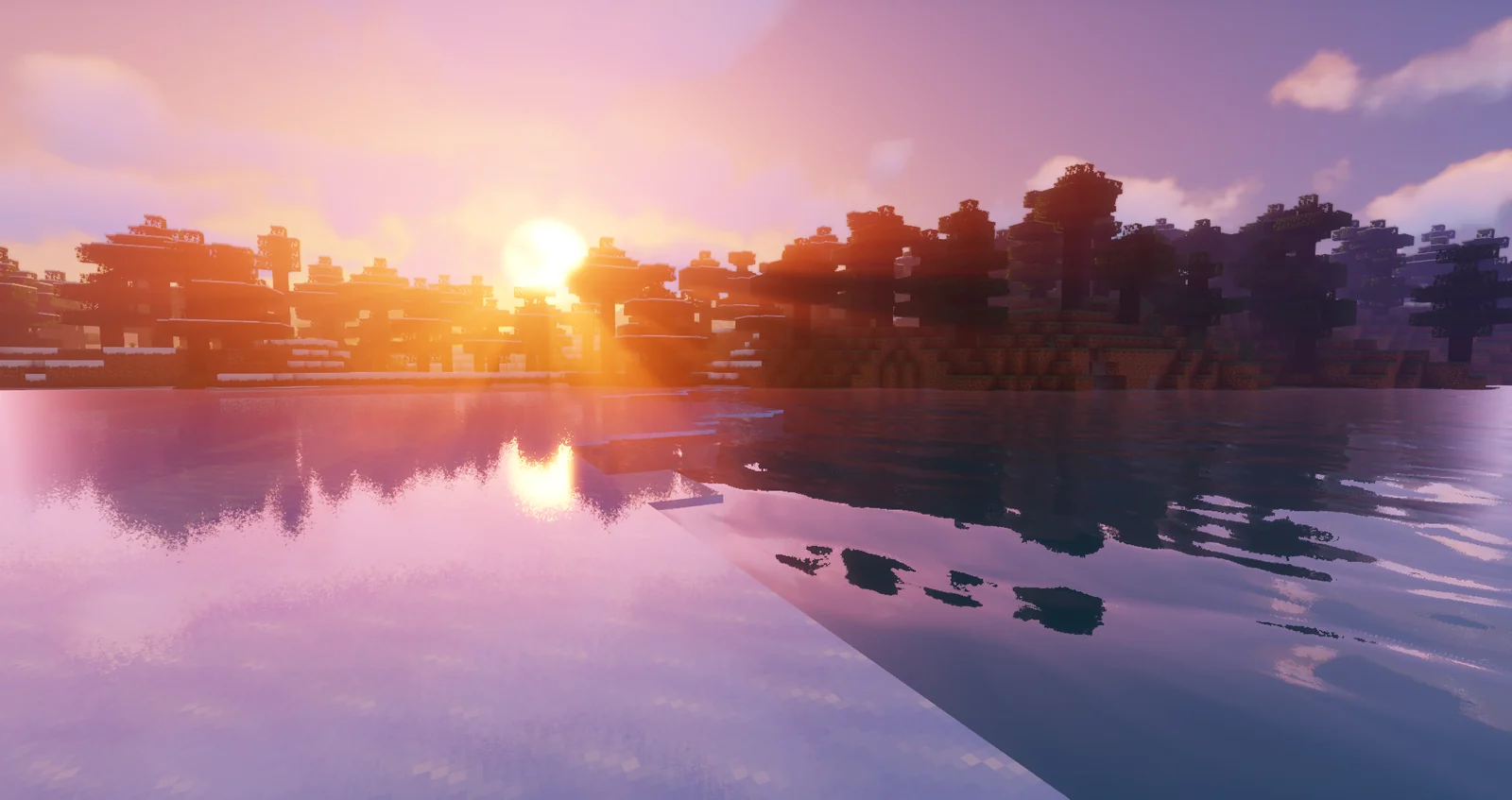
Vibrant 2.01: start with Lite
Vibrant adds reflections, richer skies, volumetric light, and heavier post-processing. Extreme is not the right first test for a new Fabric profile.
- Lite or Medium is safer first
- Compare the same world
- Raise quality after stable frame time
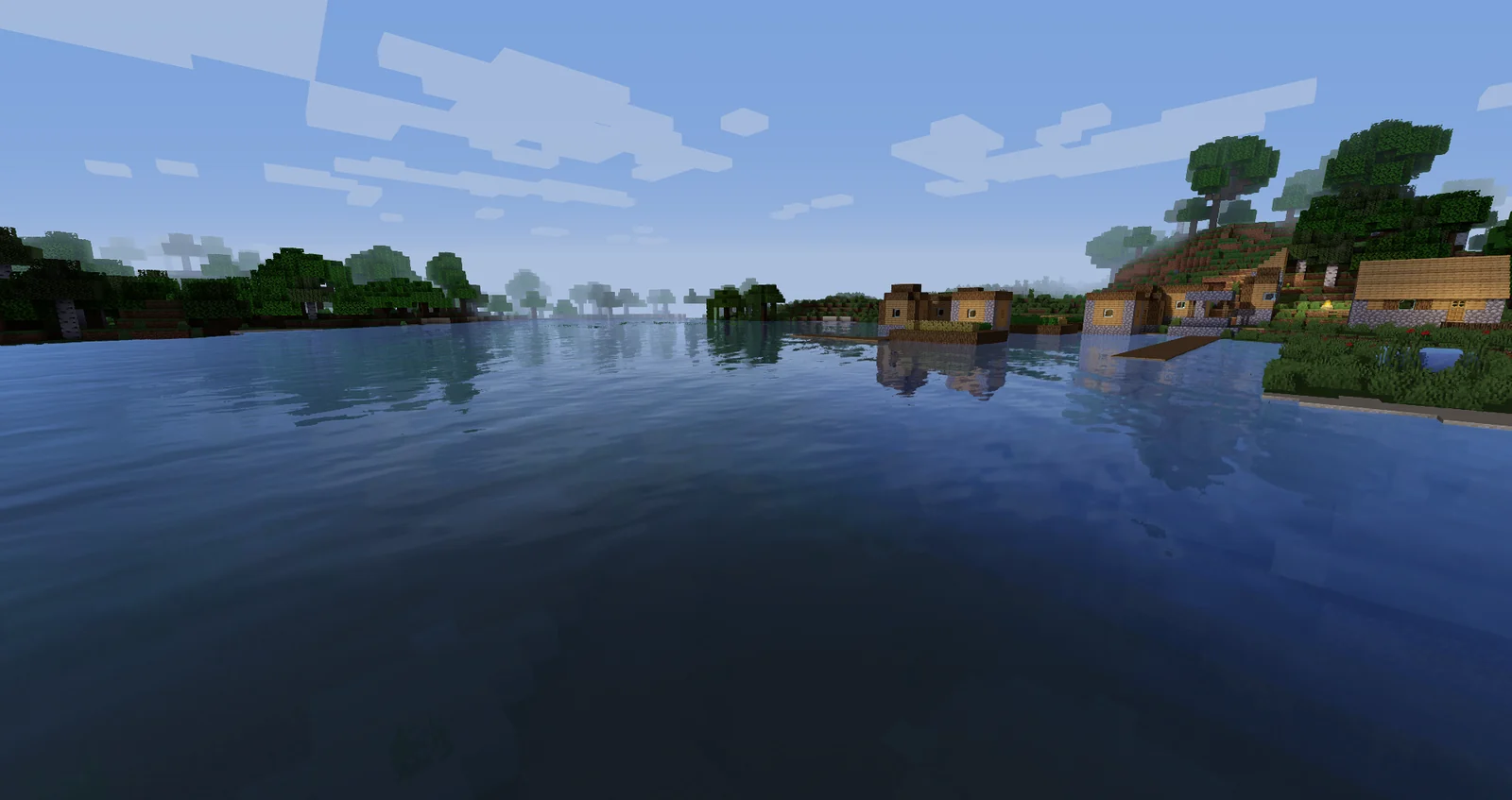
Enhanced Default 1.19 Fast
Enhanced Default keeps Minecraft's original art direction while improving shadows, water, and atmosphere. Fast is a practical Fabric baseline.
- Good for survival and building
- Fast lowers first-test risk
- Try Fancy after stability
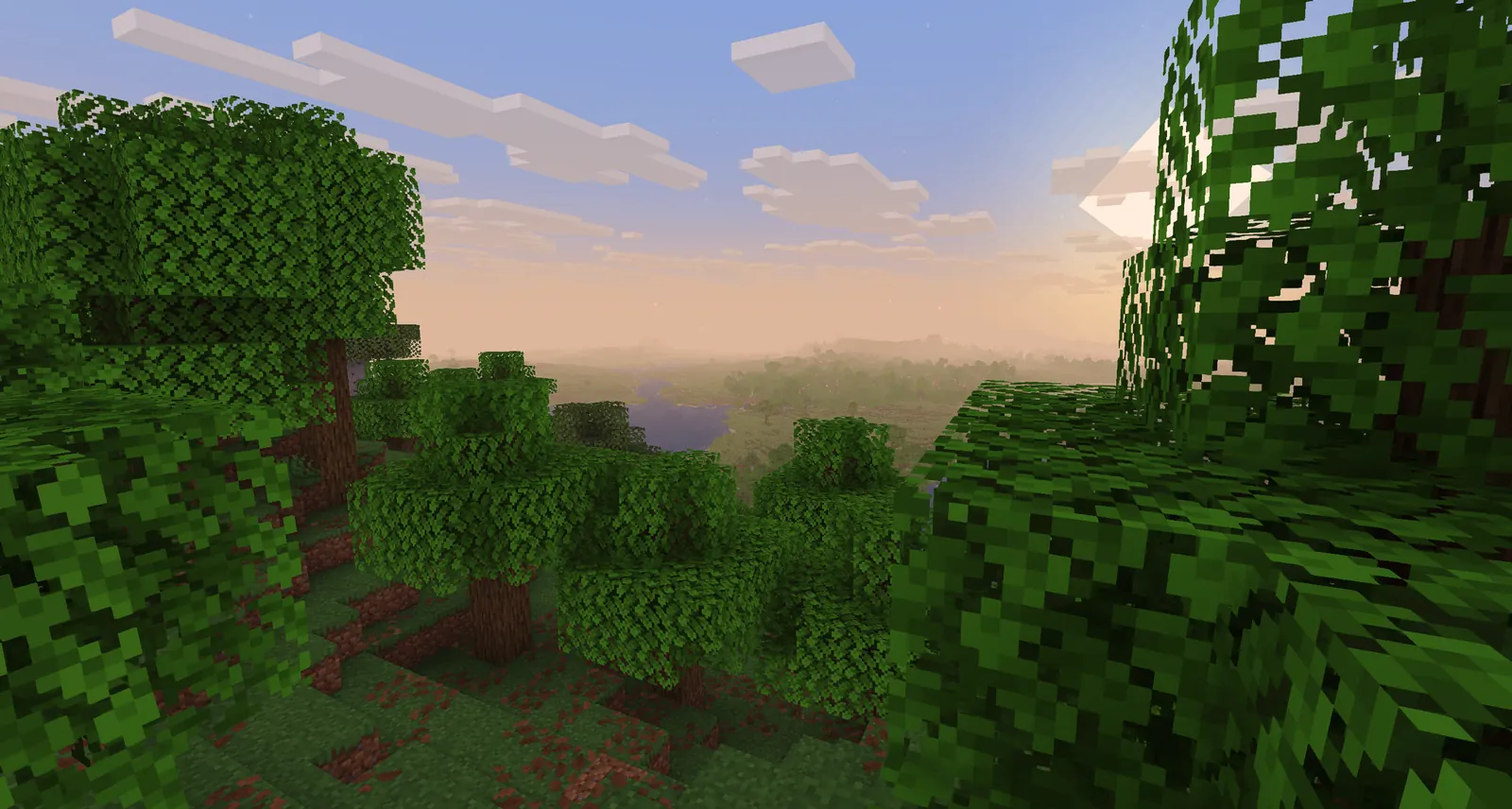
Basic 2.6 Fast
Basic changes less of the rendering pipeline and is a quick way to tell whether the problem is the loader or an expensive visual effect.
- Start on weak GPUs
- Keep the ZIP compressed
- Try Fancy or DoF later
How to install Minecraft shaders with Fabric
Install one layer at a time and launch the profile after major changes. That makes a broken version pair easier to identify.
- Confirm Java Edition and the active profileWrite down the exact Minecraft version in the launcher or instance. Start vanilla once so that profile creates its own files.
- Install Fabric and a matching Iris buildUse the official Iris path for the Minecraft version you really launch. Iris is the component that adds shader support to Fabric.
- Add Sodium only if the stack supports itChoose a Sodium build compatible with Minecraft, Fabric, and Iris. Do not copy a mod from another profile because its filename looks newer.
- Open the shaderpacks folder for that instanceUse Shader Packs → Open Shader Pack Folder from inside the running game when available. Put the original Sildur ZIP directly in that folder.
- Enable the pack and test a familiar sceneSelect the pack, wait for compilation, and check water, foliage, interiors, and movement. Lower shadows before changing unrelated settings.
Iris, Sodium, and OptiFine are different routes
A clean comparison avoids renderers competing for the same pipeline. Pick one route for the test profile and add extras only after it works.
| Route | Best fit | Important limitation |
|---|---|---|
| Fabric + Iris | Modern Java shader setup | Match Minecraft, Fabric, and Iris |
| Fabric + Iris + Sodium | Performance-focused profiles | Every version in the stack must match |
| Iris without Sodium | Shader testing or a different renderer | Performance may differ |
| OptiFine | Existing OptiFine profiles | Do not combine it with Iris and Fabric mods |
If the question is whether Fabric supports shaders, the short answer is yes through a compatible shader loader such as Iris. Fabric is the mod framework; it does not replace Iris and it does not make every OptiFine mod compatible.
Keep a clean test profile with Fabric, Iris, and one Sildur ZIP. Add Sodium, resource packs, and visual mods one at a time so a crash or black screen has a clear last change.
Fix the Fabric setup before tuning graphics
Most missing-shader problems come from the active instance, version chain, ZIP location, or a renderer conflict. Check the smallest likely cause first.
The Sildur ZIP does not appear
Confirm Iris is installed, the file still ends in .zip, and it is directly inside the active shaderpacks folder rather than resourcepacks or mods.
There is no Shader Packs button
Launch the Fabric profile with Iris, not ordinary vanilla Fabric. If the menu is still missing, remove conflicting renderers and test a clean instance.
Minecraft shows a black screen or compile error
Match Minecraft, Fabric, Iris, Sodium, and the GPU driver. Test Basic Fast without extra visual mods before trying a heavier preset.
The game crashes after adding Sodium
Remove the last graphics or performance mod, launch with Fabric and Iris alone, then add a Sodium build intended for that exact profile.
The shader loads but FPS is low
Start with Basic Fast or Enhanced Default Fast. Reduce shadow quality, volumetric effects, reflections, clouds, and render distance in that order.
Minecraft Fabric shaders FAQ
Can Fabric run Minecraft shaders?
Yes. Fabric loads the mod profile, while Iris supplies shader support. Add a compatible Sildur ZIP through the active Shader Packs folder.
Do I need Sodium for shaders on Fabric?
No. Sodium is optional. Iris can provide shader support without Sodium, although many performance-focused Fabric profiles use both when their versions match.
How do I add shaders to Fabric Minecraft?
Install Iris for the active Fabric profile, launch it once, open Shader Packs → Open Shader Pack Folder, and place the unextracted Sildur ZIP directly inside.
Why can I not see shaders in Minecraft video settings?
You may be running vanilla or Fabric without Iris, or the launcher may be using a different instance folder. Confirm the profile and remove any conflicting renderer before testing again.
Can I use OptiFine with Fabric and Iris?
Do not combine OptiFine with an Iris and Fabric test profile. Treat OptiFine as a separate loader route and match it to its own Minecraft version.
Primary loader and pack references
- Iris Shaders official site — Loader installation and shader support
- Sildur's Vibrant Shaders on Modrinth — Current pack metadata and files
- Sildur's Enhanced Default on Modrinth — Vanilla-style pack metadata
- Sildur's Basic Shaders on Modrinth — Lightweight pack metadata
Make the Fabric stack predictable
For Minecraft Fabric shaders, the reliable order is Java profile → Fabric Loader → Iris → optional Sodium → Sildur ZIP. If the pack is missing, verify the active instance and ZIP location before changing visual settings.
Start with Basic Fast or Enhanced Default Fast, compare one familiar world, and change one component at a time. Once the baseline works, move to Vibrant Lite or Medium and tune shadows and volumetric effects before increasing distance.
For version-specific checks, use the site's compatibility and Minecraft 26.2 guides. For a Sodium-focused setup, use the dedicated Minecraft Sodium shaders guide rather than mixing two troubleshooting paths.