
Minecraft Sodium Shaders: Iris + Sodium Setup Guide
Sodium improves rendering performance, but Sodium alone does not load shader packs. The practical Sildur setup is a matching Minecraft and Fabric profile with Iris, Sodium, and an unextracted shader ZIP in the active shaderpacks folder.
The phrase minecraft sodium shaders usually describes a stack rather than one download. Sodium is a rendering optimization mod; it does not provide the shader-loading menu by itself. Iris supplies that shader layer, so installing Sodium without Iris can leave you with a faster profile but no way to activate a Sildur pack.
This guide separates the jobs of Minecraft, Fabric, Sodium, Iris, and the shader ZIP. It also explains why a clean profile is useful, which Sildur preset is a sensible first test, and how to diagnose a missing pack, black screen, crash, or unstable frame time without changing five components at once.
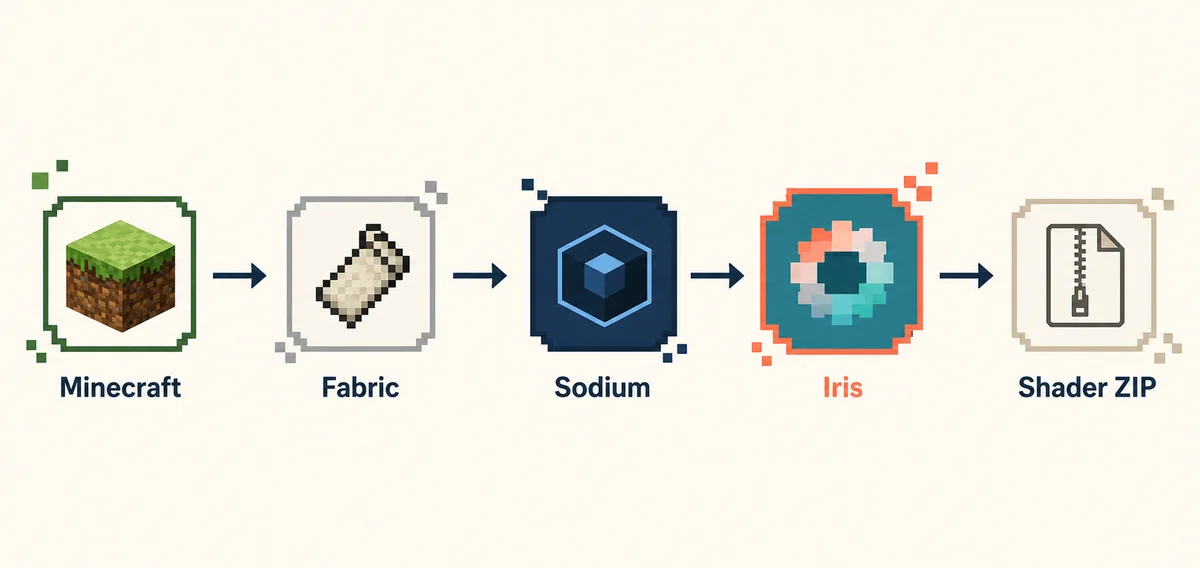
What “Sodium shaders” actually contains
Treat each item as a separate responsibility. A correct version number on one component cannot make an incompatible loader stack work.
| Component | Job | What to check |
|---|---|---|
| Minecraft Java | Runs the world and version profile | Use the exact profile you launch |
| Fabric Loader | Loads the mod set | Match the Minecraft branch and instance |
| Sodium | Optimizes rendering performance | Use a build intended for the profile |
| Iris | Loads and compiles shader packs | Install a compatible Iris build |
| Sildur ZIP | Adds the visual shader effects | Keep it compressed in shaderpacks |
The important distinction is simple: Sodium alone is not a shader loader. Iris and Sodium can complement one another, but they are not interchangeable. If a tutorial says “install Sodium shaders,” read it as “install a compatible Iris and Sodium setup, then add a shader pack.”
Use the active launcher instance as the source of truth. Prism, CurseForge, MultiMC, and other launchers can keep separate folders, so a ZIP in the global .minecraft directory may not appear in the profile you actually start. Test the loader before adding a large modpack or extra renderer.
Choose a shader that gives the stack room
The best first Sildur pack is the lightest one that lets you confirm the loader works. These current author-published versions are already maintained in the site's verified download data.
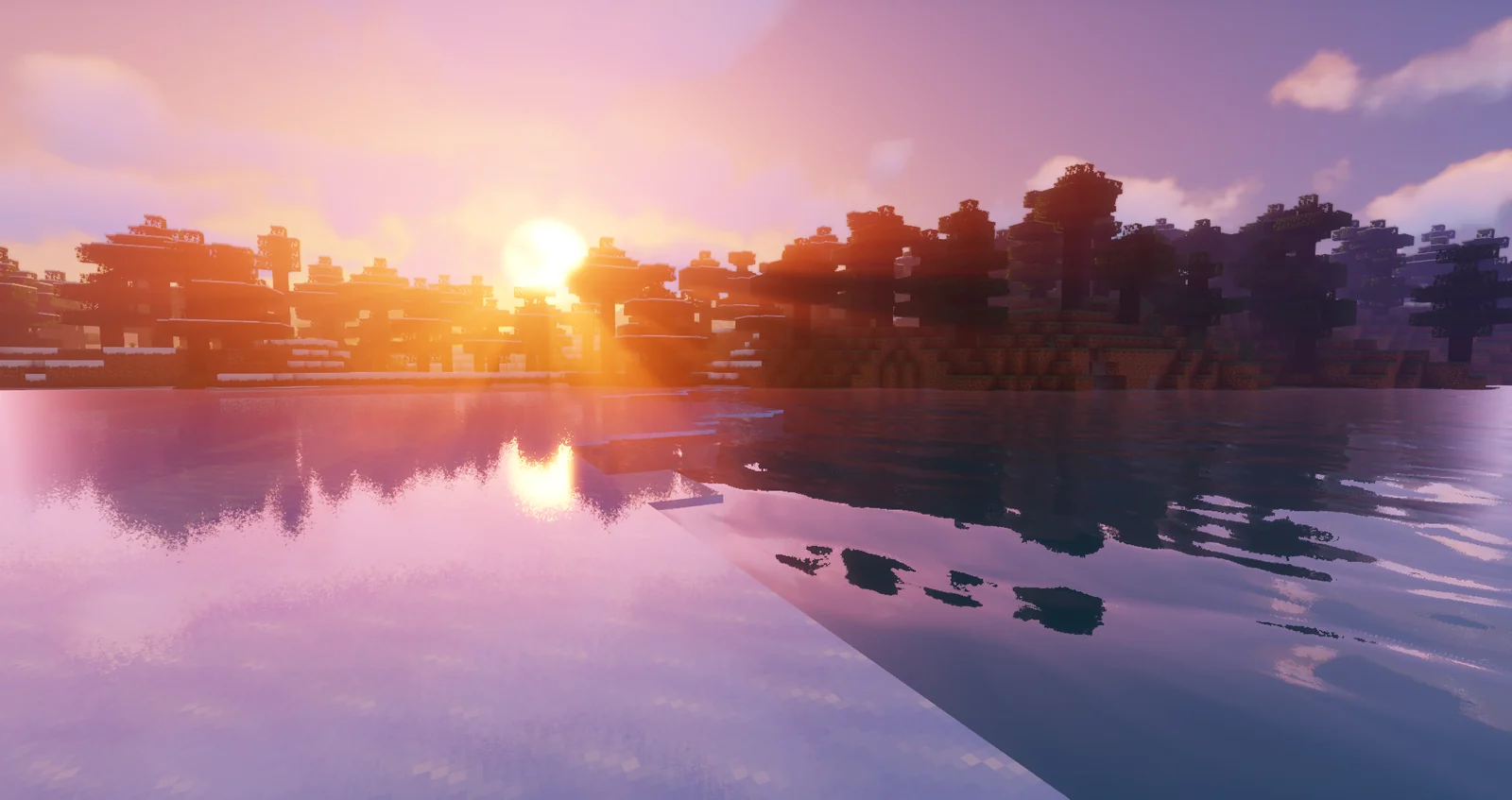
Vibrant 2.01: start with Lite
Vibrant adds reflections, volumetric light, richer skies, and more demanding effects. Do not begin with Extreme just because the pack is installed correctly.
- Lite or Medium is a safer first test
- Use the same world for comparisons
- Move up only after frame time is stable
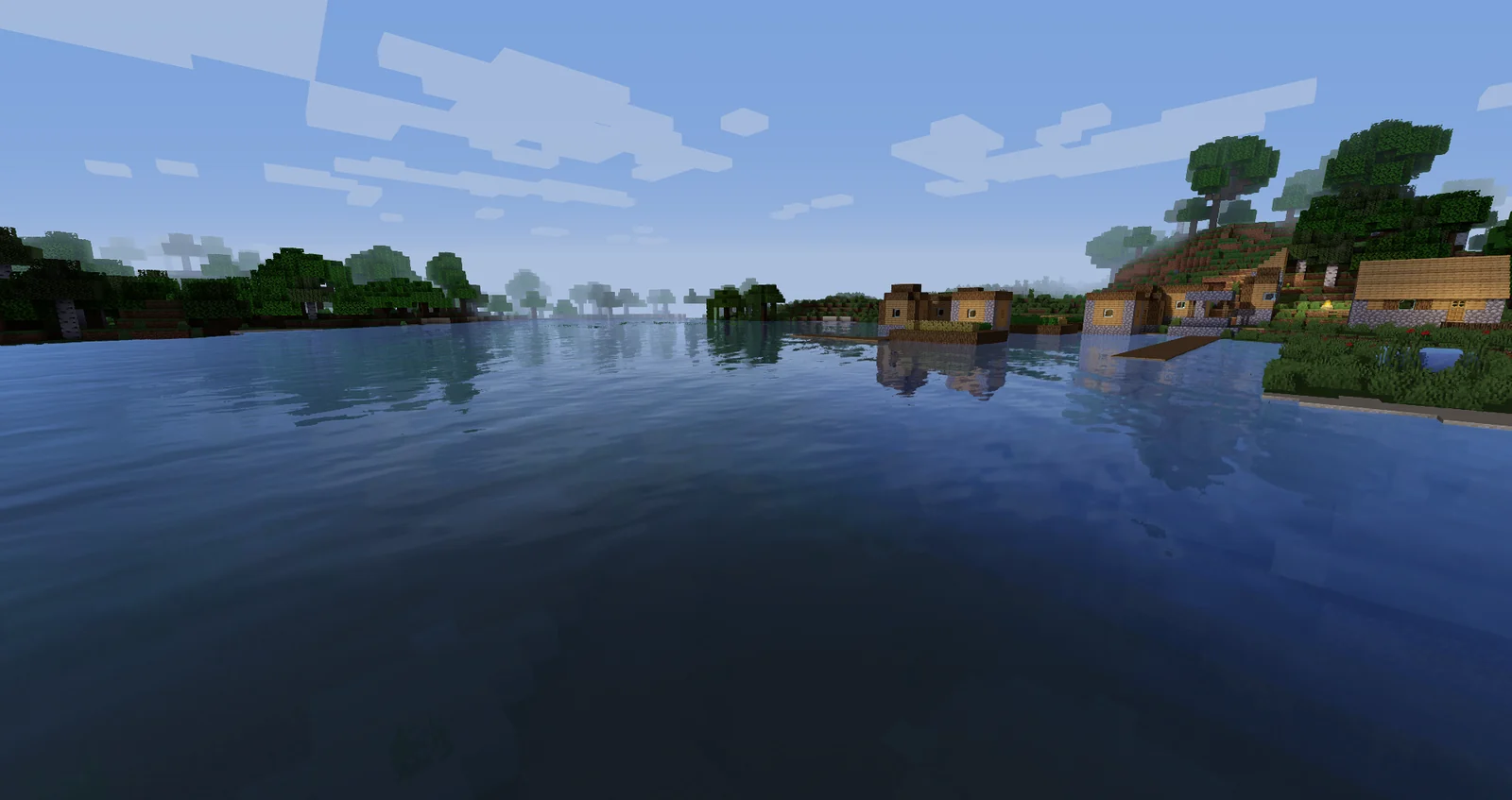
Enhanced Default 1.19 Fast
Enhanced Default keeps Minecraft's original art direction while adding shadows, water, and atmosphere. Fast is a practical baseline for current Fabric profiles.
- Good for survival and building
- Fast reduces the first performance risk
- Fancy can wait until the loader is stable
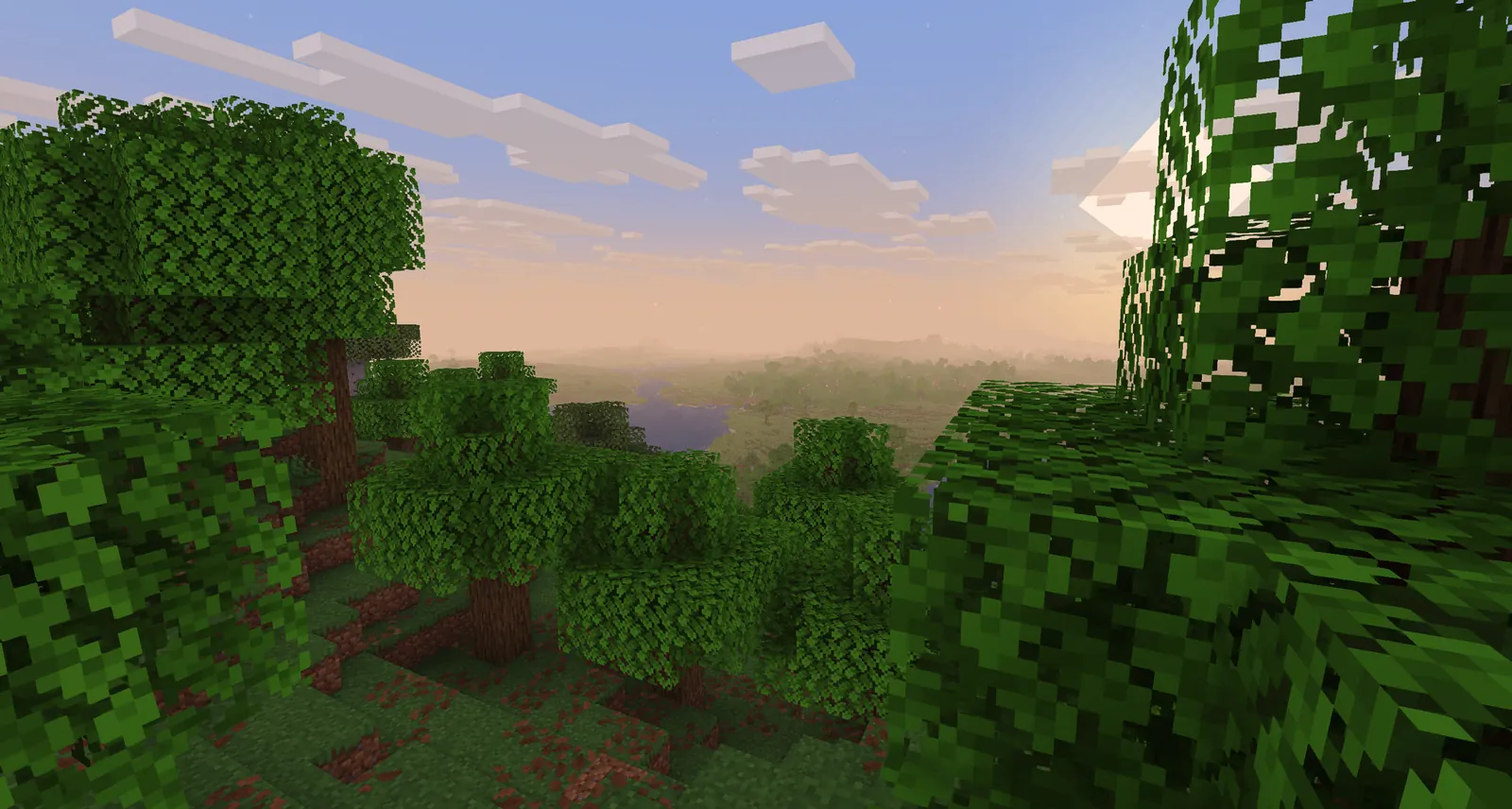
Basic 2.6 Fast
Basic changes less of the rendering pipeline and is the quickest way to see whether a problem is caused by the loader stack or by expensive effects.
- Start here on weak or integrated GPUs
- Keep the ZIP small and unextracted
- Use Fancy, DoF, or MB after the baseline works
How to install Minecraft Sodium shaders with Iris
Install one layer at a time and launch the profile after each major change. That order makes a broken version pair much easier to identify.
- Confirm Java Edition and the active profileWrite down the exact Minecraft version in the launcher or instance. Start vanilla once so the profile creates its own files before adding mods.
- Install Fabric and a matching Iris buildUse the official Iris installer or the verified project path for the Minecraft version you launch. Iris is the component that adds shader support.
- Add Sodium to the same instanceChoose a Sodium build compatible with that Minecraft, Fabric, and Iris combination. Do not copy a mod from a different profile just because the filename looks newer.
- Open the shaderpacks folder for that instanceUse Shader Packs → Open Shader Pack Folder from inside the game when available. Put the original Sildur ZIP directly in that folder; do not extract it.
- Enable the pack and measure a familiar sceneSelect the pack, wait for compilation, and test water, foliage, interiors, and movement in the same world. Reduce shadows and volumetric effects before changing unrelated settings.
Iris, Sodium, and OptiFine are different choices
A clean comparison avoids combining renderers that compete for the same pipeline. Pick one route for the test profile, then add extras only when the base setup is stable.
| Route | Best fit | Important limitation |
|---|---|---|
| Iris + Sodium | Modern Fabric profiles and performance | Every version in the stack must match |
| Iris without Sodium | Shader testing or another compatible renderer | Shader support works, but performance may differ |
| OptiFine | Existing OptiFine profiles and older setups | Do not combine it with Iris and Sodium |
| Sodium alone | A performance baseline without shaders | It does not load Sildur ZIP files |
Iris and Sodium are complementary: Iris provides the shader path, while Sodium handles performance-oriented rendering work. Iris does not universally require Sodium, but Sodium is a common pairing for a modern Fabric setup. Read the release notes for the exact profile rather than assuming every latest file belongs together.
If you use a custom launcher, the safest test is a new instance with only Fabric, Iris, Sodium, and one Sildur ZIP. Once that works, restore resource packs and visual mods one at a time. A second renderer, old API, or mismatched performance mod can create a failure that looks like a bad shader download.
Fix the stack before changing every shader setting
Most “Sodium shader” problems are version, folder, or renderer problems. Use the symptom to choose the smallest next check.
The Sildur ZIP does not appear
Confirm that Iris is installed, the file still ends in .zip, and the folder was opened from the active instance. Remove nested folders and check that the game did not start a different launcher profile.
The screen is black or the shader will not compile
Test Basic Fast in a clean profile, then align Minecraft, Fabric, Iris, Sodium, and the GPU driver. Remove duplicate renderers and restore default shader settings before trying a heavier preset.
The game crashes after adding Sodium
Remove the newest visual or performance mod, launch with only Fabric and Iris, then add Sodium back from a version set intended for that Minecraft profile. Keep the crash log instead of guessing from the title screen.
The shader loads but FPS is poor
Use Basic Fast or Enhanced Default Fast first, lower shadow quality, volumetric lighting, reflections, clouds, and render distance in that order, and test the same world at the same resolution.
The world looks unchanged
Open a real world rather than judging the title screen, confirm the shader entry is selected and enabled, and wait for resources to reload. A pack in resourcepacks is not an active shader pack.
Minecraft Sodium shaders FAQ
Does Sodium load shader packs by itself?
No. Sodium is a rendering optimization mod. Use Iris when you want to load Sildur's Shaders, then pair the two only when their versions are compatible.
Does Iris require Sodium?
No. Iris can provide shader support without Sodium in a compatible setup. Sodium is a common performance pairing, not a universal requirement.
Can I use OptiFine with Iris and Sodium?
Do not combine them in the same test profile. OptiFine is an alternative loader route; choose it for an existing OptiFine setup or choose Iris and Sodium for a Fabric profile.
Which Sildur preset should I try first?
Start with Basic Fast on weak hardware, Enhanced Default Fast for a vanilla-friendly balance, or Vibrant Lite when your GPU has more headroom. Confirm the stack before moving to Medium, High, or Extreme.
Do Minecraft Sodium shaders work on Bedrock Edition?
This guide and the Sildur ZIP downloads target Minecraft Java Edition with Java shader loaders. Bedrock and console editions use a different rendering and add-on system.
Primary project and loader references
- Iris Shaders official site — Loader installation and shader support context
- Sildur's Vibrant Shaders on Modrinth — Current 2.01 release files and loader metadata
- Sildur's Enhanced Default on Modrinth — Current 1.19 release and Minecraft compatibility
- Sildur's Basic Shaders on Modrinth — Current 2.6 lightweight release
Use the stack, not the keyword label
A reliable Minecraft Sodium shaders setup is a small, version-matched chain: Minecraft Java, Fabric, Iris, Sodium, and a Sildur ZIP. Sodium improves the renderer, but Iris is what makes the shader pack available in the menu.
Start with one light preset, test a real world, and change one variable at a time. When you need the general folder walkthrough, use the site's installation guide; when you need hardware or version boundaries, use the compatibility and low-end guides below.